


Newly admitted students of Accra Technical University (ATU) need to create their iCampus account to access important student services, including online registration.
Get the latest campus news, updates, and announcements by joining our WhatsApp channel here: 👉 Join on WhatsApp.
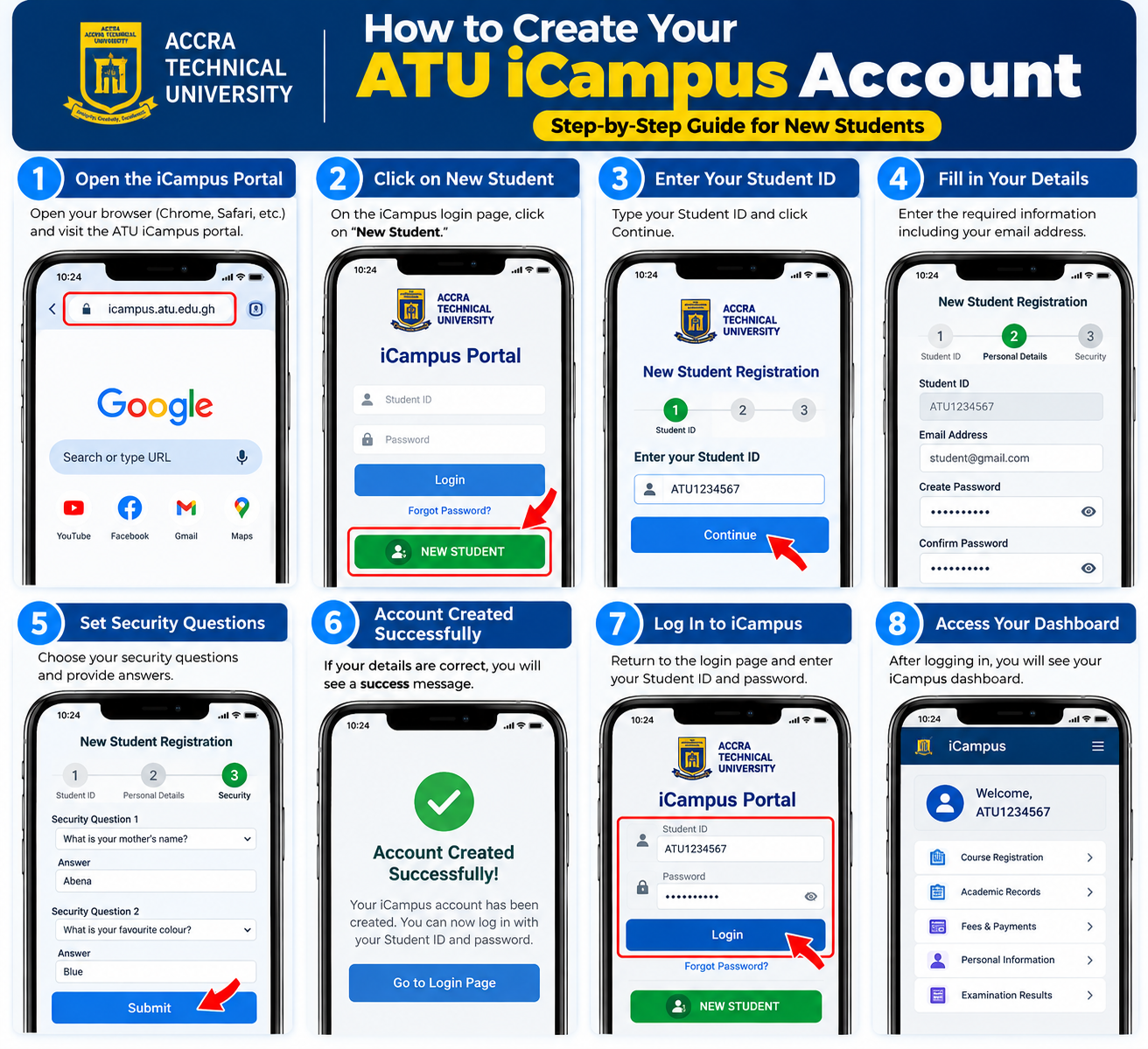
How to Create Your ATU iCampus Account
Step 1: Visit the official ATU iCampus portal:
Step 2: On the login page, click “New Student.”
Step 3: Enter your Student ID and provide the required information.
Step 4: Create your password and enter your active email address.

Step 5: Provide your security question and answer, then select Create Account.
Step 6: Return to the iCampus login page and log in using your Student ID and new password.
Important
Keep your login details safe and do not share your password with anyone.
ATU also provides support for iCampus accounts, course registration, admissions, and fees and payments through its Digital Support Centre.
Official ATU Website:
Accra Technical University